Throw Food For Animals / Guide
How to redeem Throw Food For Animals codes
Updated 9 November 2026
How to redeem Throw Food For Animals codes, step by step, once a code box exists. Until then we explain what we checked and where new codes would appear.


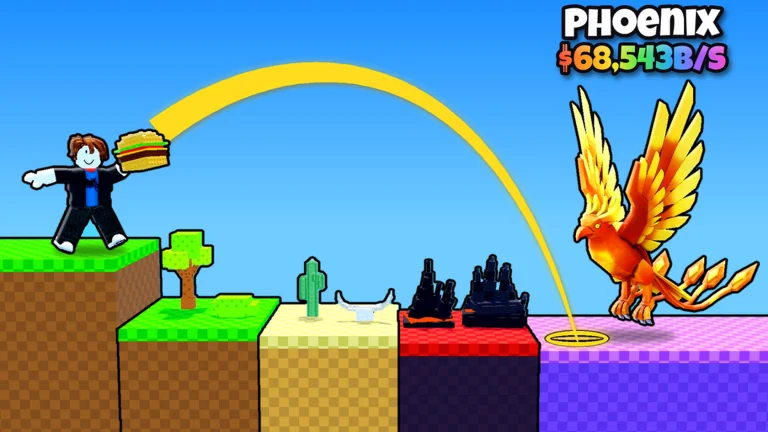

Pictures: Fandom wikis (CC BY-SA) and official game art, sources on Credits
This is the honest redeem guide for November 2026. We list 0 working codes and we cannot show you a code box, because we do not have a screenshot of one. The official Roblox description does not mention codes. We will not write numbered click steps until that screenshot exists.
What we checked on 9 November 2026
- Official game description: no codes and no redeem line.
- “Goofy Chupacabra” group description: empty. Group shout: empty.
- No in-game screenshot of a code field is available yet.
- TechWiser (31 October 2026) and Timesaver (8 November 2026) independently report no redemption system. Those articles are extra checkers, not a substitute for our own screenshot.
What to do if a video shows a code
Skip any string that we have not listed with a source and a check date. Videos often reuse codes from other animal games. A code belongs to the experience that published it. If “Goofy Chupacabra” later posts a real string on the game page or in a group shout, we will add it to the codes page with that source.
Does the group give you a code?
Joining “Goofy Chupacabra” is not a verified way to receive a code. The group description is empty and the shout was empty when we checked the group page. We also do not publish Discord or Trello links, because those addresses are not listed on the official pages we could read without a login.
When a box appears
Typical Roblox games put a Codes button on the HUD or a field inside Settings or the shop. We will photograph the real control in this game before we write numbered steps. Until then, use the codes page for the live count (zero today) and ignore fake redeem menus.
We also watched later gameplay videos for a redeem box. The Food Shop, Animal Index, My Animals plot and training banners in those videos did not show a code field. Watermarks such as channel names on the screen are overlays from the video creator, not a code box. The codes page therefore still lists no working codes as of 9 November 2026.
The HUD buttons visible in the gameplay pictures are Index, Shop and Animals, plus the Food Shop window titled Food Shop, the Animal Index window titled Animal Index, and the plot panel titled My Animals. None of those windows contained a redeem field, a codes tab or placeholder text such as Enter Code. Until a later picture shows that box, this guide can only describe what we have not seen and point you to the official Roblox page for any future developer notice. We will add a screenshot and write numbered steps only after the field itself is readable in frame.
What is still open
- Code box: No redeem field was visible on the gameplay stills we checked. This codes list stays at 0 working codes, and we do not publish redeem clicks until that field is visible.
FAQ
Can I redeem Throw Food For Animals codes right now?
No. As of 9 November 2026 we have no verified code strings and no screenshot of a redeem box.
What should I do if a video shows a code that is not on our list?
Do not treat it as confirmed. We only publish strings we can source to the official game page, a group shout or another official post, with a check date.
Will joining the Roblox group “Goofy Chupacabra” give me a code?
Not that we can verify. The group description and shout were empty on 9 November 2026, and they did not mention codes.